
Bonus Features 1 - Share your Work
Exercise
Beginner
+60XP
1h
Unity Technologies
In this tutorial, you can go way above and beyond what you learned in this Unit and share what you’ve made with your fellow creators.
There are four bonus features presented in this tutorial marked as Easy, Medium, Hard, and Expert. You can attempt any number of these, put your own spin on them, and then share your work!
This tutorial is entirely optional, but highly recommended for anyone wishing to take their skills to a new level.
Languages available:
1. Overview
This tutorial is entirely optional. If you are not interested in this extra challenge, simply scroll to the bottom of the page above the Submission Gallery and select "Skip submission and continue". You can still successfully complete the course without attempting any of these bonus features.
This tutorial outlines four potential bonus features for the Driving Simulation Prototype at varying levels of difficulty:
- Easy: Obstacle Pyramids
- Medium: Oncoming vehicles
- Hard: Camera switcher
- Expert: Local multiplayer
Here’s what the prototype could look like if you complete all four features:
The Easy and Medium features can probably be completed entirely with skills from this course, but the Hard and Expert features will require some additional research.
Since this is optional, you can attempt none of them, all of them, or any combination in between.
You can come up with your own original bonus features as well!
Then, at the end of this tutorial, there is an opportunity to share your work.
We highly recommend that you attempt these using relentless Googling and troubleshooting, but if you do get completely stuck, there are hints and step-by-step solutions available below.
Good luck!
2. Easy: Obstacle pyramids
Create stacks, piles, or pyramids of obstacles for the vehicle to drive through.
These will be more satisfying for the player to crash into compared with single objects.
3. Medium: Oncoming vehicles
Add a couple of other cars that are automatically driving down the road in the opposite direction, which the player also has to avoid.
This will make the experience much more challenging, since the player will now be forced to think quickly, rather than taking as much time as they need.
4. Hard: Camera switcher
Allow the player to press a key on the keyboard to switch camera views.
Ideally, the same key would toggle between two views, one above and behind the vehicle, and the other from the perspective of the driver’s seat.
5. Expert: Local multiplayer
Transform this into a “local multiplayer” split-screen game with two cars, where one player’s car is controlled by WASD and the other is controlled by the arrow keys.
This would add a completely new competitive dimension to the prototype.
6. Hints and solution walkthrough
Hints:
- Easy: Obstacle pyramids
- Remember to use a Rigidbody!
- Medium: Oncoming vehicles
- Try using transform.Translate to move the other vehicles.
- Hard: Camera switcher
- Add a second camera and then use a key press to enable and disable it.
- Expert: Local multiplayer
- You will need to edit the Input Manager and the Camera’s Viewport Rect Width property.
Solution walkthrough
If you are really stuck, download the step-by-step solution walkthrough.
Note that there are likely many ways to implement these features - this is only one suggestion.
7. Share your work
Have you implemented any of these bonus features? Have you added any new, unique features? Have you applied these new features to another project?
We would love to see what you've created!
Please take a screenshot of your project or do a screen-recording walking us through it, then post it here to share what you’ve made.
We highly recommend that you comment on at least one other creator's submission. What do you like about the project? What would be a cool new feature they might consider adding?
Please login to submit
Complete this Tutorial
Submission Gallery
Traffic-Dodger Relay [Split Screen Local Co-Op]
You and a friend must try to navigate around the obstacles in the road. Be the first to return to the starting zone to crown yourself the "Traffic-Dodger Master".
Local Multiplayer car ride with spawning traffic
I added self spawning traffic coming the other way, a countdown at the start and a timer. The game has no ending - haven't learnd that yet...

Ultimate Driving Simulator Expansion: Split-Screen Local Multiplayer & Bonus Challenges!
Took on all four bonus challenges for the Driving Simulation Prototype—and pushed them a step further! 🚗💨 Here is a breakdown of what’s featured in the video: Easy (Obstacle Pyramids): Stacked physics-enabled props into pyramids for maximum impact when crashing through them. Medium (Oncoming Vehicles): Added AI traffic moving down the road using transform.Translate to create real obstacle-dodging tension. Hard (Camera Switcher): Programmed a hotkey toggle to seamless switch between a third-person chase camera and an immersive driver-seat view. Expert (Local Multiplayer): Transformed the prototype into a competitive 2-player split-screen game! Player 1 uses WASD while Player 2 controls via the Arrow Keys, with dedicated Viewport Rect setups and pivot-tuned steering. Check out the 2 videos to see all four features in action! Feedback and suggestions are always welcome.

Finally Finished This! :'D
Was quite hard for a complete newb and no teacher but I did it in the end and quite proud of myself all though I did use the walkthrough for local multiplayer, bit of advice to anyone who does local multiplayer the walkthrough method, you need all your code to be the old input system.
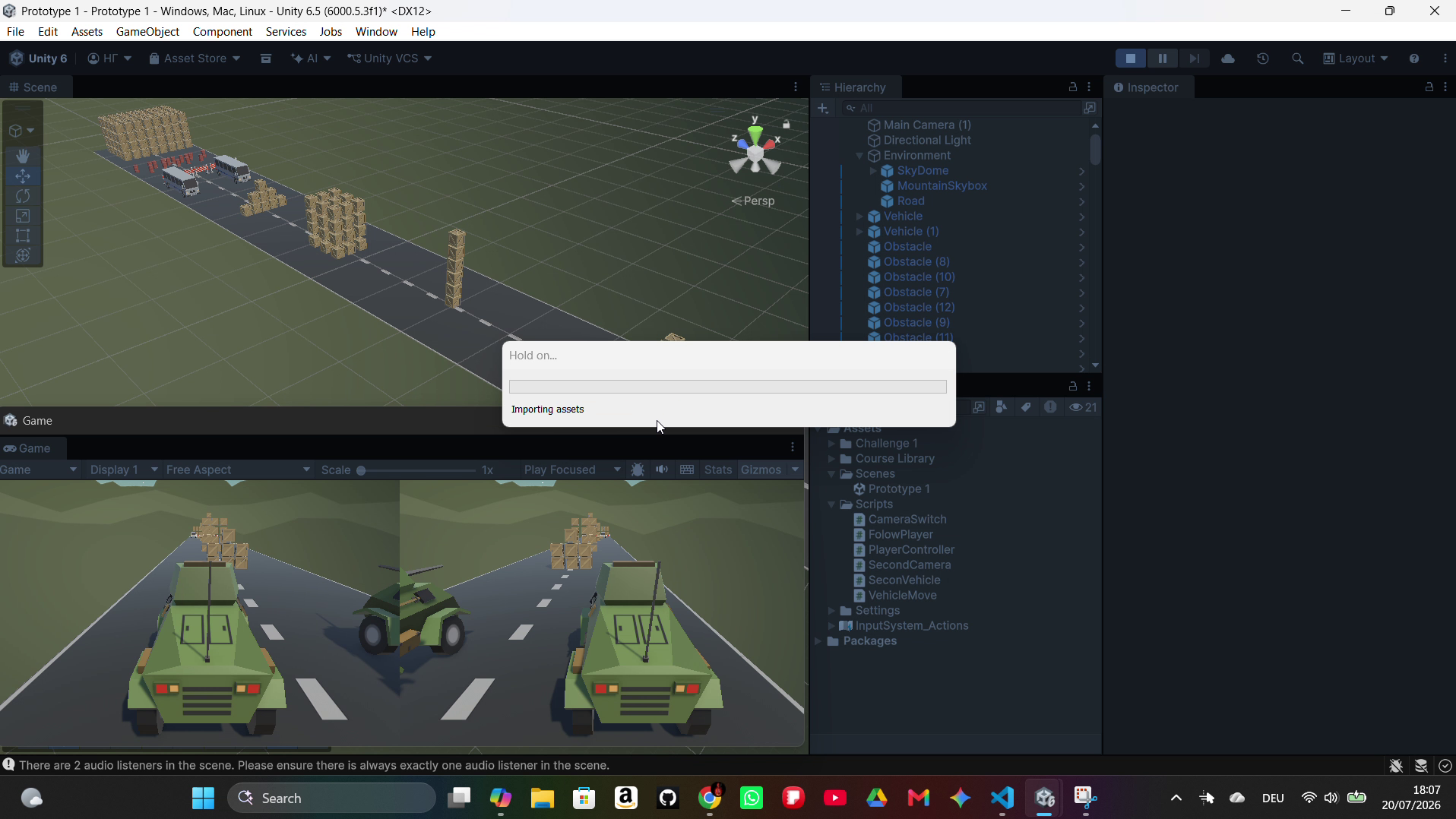
Local multiplayer - Prototype
A local multiplayer prototype built in Unity that allows two players to compete on the same device. It demonstrates camera switching, obstacle handling, and player synchronization using Unity’s built‑in tools.
Unity Player Control Bonus Work
At first I ignored this and went to Unit-2 but i wanted to have a look on what it is exactly and my curiosity helped me learn many new things here. Now i know to create a split screen Camera, create a local multiplayer racing game and create a basic tank game. It is definitely worth the time you invest in here! Kudos to unity