
Get Started with Unity: In-Editor Tutorial
Exercise
foundational
+0XP
45m
Unity Technologies
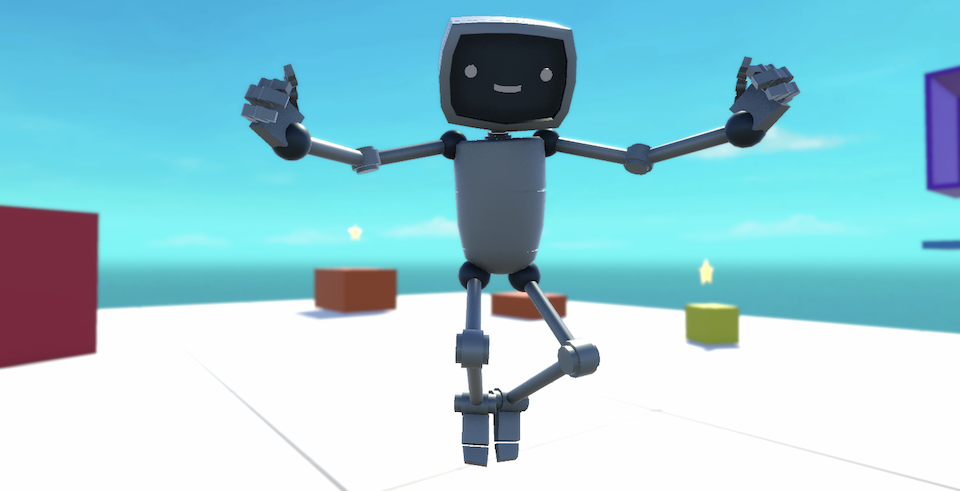
Launch Unity’s built-in beginner project, complete the interactive tutorial, and share your first game.
Languages available:
1. Overview
Unity includes a powerful in-Editor tutorial system that allows you to learn by doing, all within the Unity Editor.
In this tutorial, you’ll launch a learning template directly from the Unity Hub. This template opens a fully guided, interactive experience, where you’ll do the following:
- Explore how Unity’s primary windows and tools work
- Create and arrange GameObjects in a 3D world
- Make a simple playable game with a character and UI
- Explore the power of Unity to incorporate audio, animation, visual effects, and more
- Optionally publish and share your game online
If you’re brand new to Unity or exploring game development for the first time, this is the perfect way to begin.
2. Before you begin
Before you begin, make sure you have Unity Hub and Unity version 6.3 installed.
Tip: If you’re not sure how to install or update Unity, follow these steps to download a new version of the Editor with Unity Hub.
Once you’re ready, continue to the next step to launch your project.
3. Open Unity Hub and launch the project
To get started, you’ll launch the learning project using Unity Hub. The Hub is Unity’s central launcher for managing projects, installs, and templates.
1. Launch Unity Hub
- Open the Unity Hub application.
2. Select New Project
- In the Hub, select New project.
3. Choose Unity version 6.3.0 or later
- At the top of the new project window, ensure Unity 6.3.0 (or later) is selected.
4. Open the Learning tab
- Underneath the Editor version, select the Learning tab to access Unity’s interactive tutorials.
5. Choose the Get Started with Unity template
- Find and select Get Started with Unity. This template includes a fully guided in-Editor learning experience.
- Enter a name for the project and choose a suitable location on your computer to save it.
- Select Create project and wait for the project to open. This will take a few minutes.
The Unity Editor will open and display a welcome screen, where you’ll see a robot greeting you with open arms — that means your tutorial is ready to begin.
4. Complete the In-Editor Tutorial
The in-Editor Tutorial window (on the right side of the Editor) will guide you through the interface using highlighted callouts and embedded instructions. No need to leave the Editor or open a web browser — all the learning happens in one place.
Once you’ve completed all five sections of the in-Editor tutorial, and you see checkmarks next to each one, come back here to share your project with other users on the Learn platform!
5. Share your game
If you feel proud of the game you made and you want to share it, you can share screenshots of the game or upload a link so other learners can experience what you’ve made. You can also check out other Unity learners’ submissions below.
1. If you uploaded your game to Unity Play, locate the Unity Play link for your published project.
2. Add a submission title, description, and add your Unity Play link:
- If you have additional details to share about your process or the project that you have created, you can share them in the description.
- Add the link to your game on Unity Play so others can experience it.
- Take some screenshots or a screen recording of your project and include those so others can get a quick preview of your project.
3. Set who can view your submission:
- Public: Anyone who views this tutorial.
- Private: Just you.
4. Select Save and preview submission.
5. Submit your submission:
- Check your submission preview.
- Complete the CAPTCHA test.
- Select Submit and continue.
Please login to submit
6. Next steps
You’ve just completed your first Unity project — well done!
You're ready to continue on your way as a Unity creator.
Complete this Tutorial
Submission Gallery
Get Started With Unity
Get Started With Unity Product

ODST Customizable
i made it myself and yes ask if want it
Get Started With Unity Editor Tutorial
I completed the Get Started With Unity Editor Tutorial".
First Day in Unity
I tried out Unity build as preparation for my game development role in the university gamedev club. Really nice to have tutorials to begin without stressing much.

Proje tasarım odevi
Proje tasarım ödevi TOKİ melikşah
royalbattelground
Yeh raha aapka ready-to-copy description. Aap ise direct copy karke apne game ke submission ya promotion ke liye use kar sakte hain: 🎮 Battlegrounds Bharat: The Ultimate Indian Battle Royale Welcome to the ultimate action-packed Battle Royale game inspired by top-tier tactical shooters like Free Fire and PUBG! Built specifically around a unique, custom 100% Indian-inspired map, this game offers high-octane survival gameplay with a distinct local touch. 🔥 Key Game Features 🇮🇳 Custom 100% Indian Map Explore dynamic environments inspired by iconic Indian cities, rural landscapes, highways, and historic landmarks. Navigate through realistic Indian terrain designed for high-strategy combat and team battles. 🎭 Full Character & Outfit Customization * Male & Female Playable Characters: Choose and level up diverse male and female avatars. * Outfits & Bundles: Deep customization options with high-energy fashion bundles, skins, accessories, and gear sets. * Anime Legend Characters: Dominate the field with special playable anime-inspired characters featuring iconic styles (including characters like Gojo, Itadori, and more)! 🚗 Rides & Vehicles (Indian Roads Edition) Drive iconic vehicles scattered across the map for fast-paced rotations or stealthy approaches: * Bikes: Ride high-speed performance bikes like the KTM Duke 390 alongside other popular Indian two-wheelers. * Cars & Trucks: Cruising in style with luxury sports cars like BMW, dominate off-road terrain with massive Monster Trucks, and drive everyday Indian street cars. * Indian Cycle: Take advantage of quiet, stealthy movement across short distances with traditional Indian bicycles. ⚔️ Tactical Combat & Gameplay * Dynamic Gunplay: Realistic weapon mechanics, recoil, and tactical loot drops. * Multiplayer Squad Modes: Form squads with friends, coordinate strategies via voice chat, and claim victory on Indian battlegrounds! Suit up, pick your legendary avatar, gear up your favorite ride, and rule the battle