
Finalize your project
Exercise
Beginner
+60XP
2h
Unity Technologies
After all your effort and learning, you've reached the final stages of the Unity certification preparation course. In this tutorial, you'll give your game the finishing touches, build it for different platforms, and consider your next steps in Unity game development.
1. Overview
Congratulations on making it to the final tutorial in this certification prep course!
You've journeyed through the world of game development, learned new skills, conquered challenges, and brought your game concept to life. This is a significant achievement and a testament to your hard work and dedication.
In this last tutorial, you will finalize your personal project by adding any remaining unique gameplay elements. Then, you’ll build your game to macOS, Windows, or WebGL. Finally, you’ll explore your future development options and share your creation with others.
2. Continue working on your personal project
There are probably parts of your GDD, especially in the Unique gameplay mechanics section, that you haven't had time to work on yet.
Depending on your schedule, now is the time to take it to the next level — you can spend anywhere from a few more hours to a few more months or even years on this project!
You'll have a chance to submit screenshots, videos, or links to your project at the end of this tutorial.
Example project
As an example of how you might take your game to the next level, here’s the basic finished project that was shown throughout the course about the crab chasing the beach ball.
And here's an example of what it might look like with a unique gameplay element added in. In the case of this specific game, there is a rising tide that comes in every once in a while, forcing the player to seek high ground. If the ball gets caught in the water, it slows the player down, making them more vulnerable to the crab’s attacks.
3. Build your game to Windows or macOS
Building your game instead of keeping it in Unity allows you to create a standalone version that others can play without the need for the Unity Editor.
To build your game, follow these instructions:
1. Configure your build settings.
- In Unity, select File > Build Settings, then select Add Open Scenes to add your scene.
- Select Player Settings and adjust any settings you want, including making it windowed, resizable, and whether or not you want to enable the Display Resolution dialog.
For more information, check out the documentation on configuring player settings.
2. Build and run your game.
- Select Build and Run and name your project.
- Create a new folder named “Builds” inside your project directory folder and save your project there.
- Play your game to test it out, then if you want, rebuild it with different settings.
4. Build your game to WebGL
Building your game to WebGL lets you publish it on the web, making it accessible to players without them having to download any files.
To build your game to WebGL, follow these instructions:
1. Configure your build settings.
- In Unity, select File > Build Settings, then select Add Open Scenes to add your scene.
- Select Player Settings and adjust any settings you want, including making it windowed, resizable, and whether or not you want to enable the Display Resolution dialog. For more information, check out the documentation on configuring player settings.
2. Follow the steps in the tutorial Create and publish a WebGL build to create your WebGL build. The WebGL Publisher will automatically upload your project to Unity Play.
If you want, upload your game to a game sharing site like itch.io.
5. Consider your next steps with Unity
After you’ve finished your project and passed the exam, what will you do next? Consider some of the options below:
Solidify your programming fundamentals
If you are not already confident with your programming, it is recommended that you start with the Junior Programmer Pathway, which will give you the foundational skills needed to jump-start any future C# development with Unity.
Consider AR or VR development
You’ve made one game, but have only really focused on the desktop platform. Consider expanding your knowledge into extended reality (XR). Unity also has a VR Development Pathway and an AR Development Pathway that will help you get started.
Continue with more game development
If you want to continue down the games path, Unity Learn has a wide range of games-based learning content, including the following:
6. Submission - Share your project
If you have continued development on your game from this course, or anything else you're working on, we would love to see what you've created!
Please take a screenshot of your project or do a screen-recording walking us through it, then post it here to share what you’ve made. You can take screenshots within the Unity Editor or try to capture footage from the published game.
We highly recommend that you comment on at least one other creator's submission. What do you like about the project? What would be a cool new feature they might consider adding?
Please login to submit
Complete this Tutorial
Submission Gallery
Dungeon Tumbler
Physics-based rolling through handcrafted dungeons Stealth: noise alerts enemies, so take it slow… or don’t Crystals, keys, x2 score bonuses and deadly traps Earn up to 3 stars per level: finish it, don’t lose a life, collect every crystal Local leaderboard to beat your best score
Fruit Hammer Escape
Evade the hammer and collect all the fruit items to win the game. The player is able to move the chests, boxes and barrels. The bench, stones, empty fruit stand, dustbins, and the tree are immovable.
a new game
a game made for entairtainment

NelinhoWebBuild
Never
Interactive Architectural Rendering — Crack the Safe
Interactive Architectural Simulation – Full Version An interactive architectural walkthrough built in Unity 6 URP, combining environment design, dynamic cameras, and a gallery of interactive objects. Explore the interior and exterior of a house, then solve a hidden challenge: find 4 digits scattered across the scene to unlock a safe box. Features: Third-person controller with stair climbing/descending (custom Mixamo animation fix) Cinemachine camera with First/Third-person toggle (C key) and a render-texture mirror Raycast-based interaction system: toggle TVs, open doors, and trigger animations Gallery space featuring Ellen, a Mixamo character who counts to five when her belt knob is pushed Unity's Volvo car with 5 openable doors, 2 hiding safe combination digits Safe box with UI-driven keypad (cursor unlocks on approach) Custom water refraction/diffraction shader, volumetric clouds, and wind-responsive foliage (TTFEL) Dynamic day/night cycle, baked + real-time lighting, tag-based footstep audio, and ambient 3D sound Controls: WASD / Arrows – Move | Shift – Run | Space – Jump Mouse – Look around | C – Toggle First/Third-person view Left Click – Interact with highlighted objects (doors, TV, Ellen's knob) Approach the safe box to unlock the cursor and use the on-screen keypad Built for both Windows standalone and WebGPU/WebGL web builds. Some effects (fire VFX, foliage, clouds, water refraction) are scaled back or replaced on web due to platform limitations, with automatic WebGPU→WebGL fallback.
Roll-a-ball: Chrain, Chase, Collect
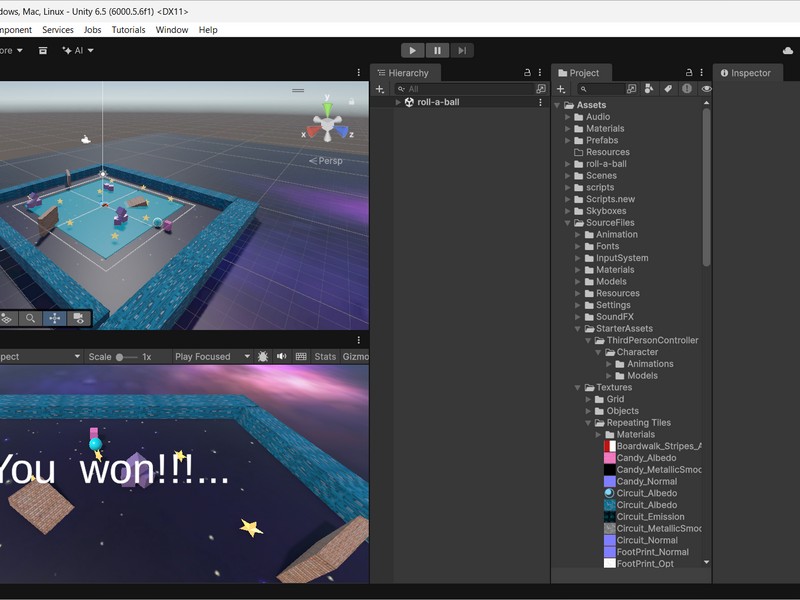
My iteration of roll-a-ball game at the end of the UCA: Game Developer - Certification Prep Course.