
Challenge — Optimizing with Light Baking and Reflections
Tutorial
Beginner
+10XP
30m
(17)
Unity Technologies
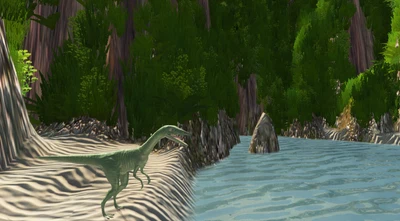
In this challenge, you will be baking the lighting in the dinosaur Scene.
Resources
1. Overview
In this challenge, you will continue to add lighting to the dinosaur Scene to add realism and depth. And you'll increase the quality and performance of these lights by baking them. This will improve runtime performance, which is important since we're targeting mobile devices that have less computing power.
In this challenge, you will bake the lighting in the dinosaur Scene. To do this, you'll need to:
- Change the stationary GameObjects to static
- Determine which lights can be baked and set them up for light baking
2. Change Stationary GameObjects to Static
Change the island’s environment GameObjects to static
- Select the Island GameObjects in the Hierarchy.
- In the Inspector window, check the static checkbox.
- When asked if you want to apply these changes to children, go ahead and do so.
(Hint: Think about which objects in the Scene will remain stationary the entire time. Since these objects won’t move, they are the objects you should convert to Static. The dinosaur, for example, is animated to move around and therefore should not be made static.)
3. Bake the Lava Glow Lights
Change the Lava lights from realtime to baked so that your application can run more efficiently on mobile devices.
- Select the four lava lights in the Hierarchy.
- In the Inspector, change the light mode from Realtime to Baked.
(Hint: The lava glow does not need to be realtime as it only emits light onto stationary objects. Because of this, change the light to Baked to save performance.)
4. Key Takeaways
You've now add realtime lighting to the Scene.
By completing this module, you’re now able to improve the performance of your Scene while maintaining the desired look and feel.