
Team Ball Game Mod: Share Your Game on the Web
Tutorial
Beginner
+10XP
10m
Unity Technologies
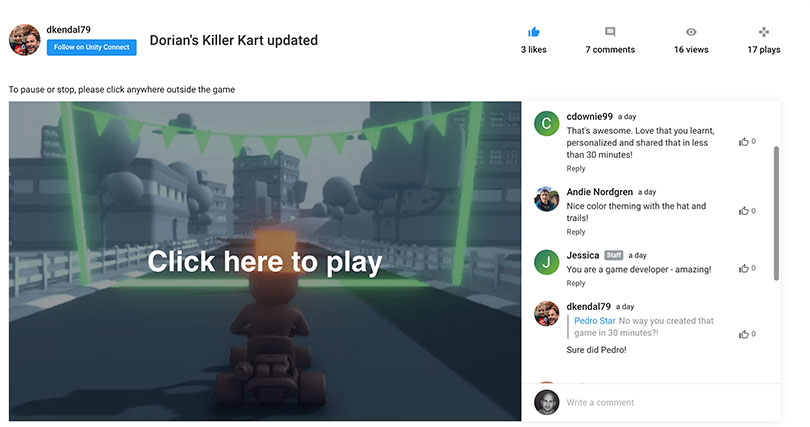
Share the fun! Follow these steps to generate a link that you can share with friends and family so they can play your game (for free) on desktop.
1. Share Your Game on the Web
Share the fun! Follow these steps to generate a link that you can share with friends and family so they can play your game (for free) on desktop.
First, add the Share WebGL Game package in the Unity Editor
1. From the file menu, select Window > Package Manager
2. In the Package Manager window, find the Share WebGL Game package (scroll the list on the left, or search with the search bar)
3. Click Install. This will take a few minutes.
Next, create a built of your project that you can share to the Web.
4. From the file menu, click File > Build Settings
5. Click Add Open Scenes to make a build of the scene you have open.
6. Select WebGL from the list on the left.
7. You might have to click Switch Platform after selecting WebGL (near the bottom right of the Build Settings Window) .
8. Click Build. This will take a few minutes.
9. Save the build to a local folder on your computer.
Finally, share the build you just created on the Web.
10. From the file menu, click Window > Share WebGL Game
11. Add a Project Name (required) and a Thumbnail Image (optional)
12. Click Upload
13. A link is automatically generated that you can now share with friends and family so they can play your game! You and anyone you share the link with can view your game by clicking on the link.
Note: Make sure to copy and save the link to your game in a location where it will be easy for you to access it again. But you can always find the link on your Unity Connect profile page, see the next step for details.
Access the link to your game via Connect
You can always find the link to sharing your game on your Unity Connect profile page (requires login).
- Login to Unity Connect.
- Click on your user icon then user name, which takes you to your profile home page.
- Click on Column in the navigation menu.
- Click on the title or image of your game, which will take you to a page that displays the shareable link.
2. Join & Share
Join your allies on Connect to share your work and experiences.
Have you joined the Team Ball Game Creators Group on Unity Connect yet? If not, check it out. It's a good place to turn if you get stuck on any part of these mods, or to share your game link with other Unity creators. Unity experts will also be checking in on this group to provide help and inspiration.
3. Your Next Steps
Choose your next adventure in your journey to Unity mastery.
Congratulations! You've come to the final challenge for this template and we hope you had fun and learned a lot along the way. But don't stop here, keep going with more mods, tutorials, and creative projects.From here, you have a couple of options to choose from:
- I want to complete more Beginner Mods - You can complete similar challenges within the other Beginner Templates: Karting Mods or 2D Platformer Mods
- I want to build on my knowledge of Unity fundamental concepts - Start the free Unity Basics course for a deeper dive into beginner topics using code-less projects.
- I want to try my hand at some C# scripting - Start the free Beginner Scripting course for a gentle introduction to the use of scripts in Unity development.